sandustry · sandustry how to remove haulers
Sandustry How to Remove Haulers
Last verified: 2026-08-15
Short answer, as of August 15, 2026: no build we can document has a "delete drone" button — but the community has settled on three working ways to remove haulers, and the developer has confirmed a proper drone management interface is planned. This page covers each removal method step by step, what breaks the moment you remove haulers from an active route, and how to live with drones until the admin UI lands. If you only remember one thing: in Sandustry you never really delete a drone, you retire it — so every method below is a way to remove haulers from duty, not from memory.
How to remove haulers: the three working methods
All three come from the Steam discussion threads captured for this page, and each solves a different version of the problem:
1. Replace by overflow. At maximum drone capacity, placing a new drone retires your oldest one. To remove haulers selectively this way:
- Re-place existing routes one by one — each placement makes that drone the newest.
- Stop when the drone you want gone is the oldest in the fleet.
- Place one more route anywhere; the oldest drone disappears.
2. Overwrite by re-routing. Assigning a fresh route does not edit an existing drone — it replaces the oldest. There is no way to pick which drone gets replaced, which is the community's loudest complaint about the system.
3. Park it somewhere harmless. The classic workaround: point the drone at a route between two empty tiles with nothing to pick up, and it flies its loop forever, out of the way — one player suggests a disused cave, and a captured beginner guide gives the same advice: drones you cannot delete get parked together somewhere they do no harm.
Relocating a hauler instead of deleting it
Most players searching for how to remove haulers actually want to move one — and relocation has its own traps, because the game has no edit mode:
- Re-routing is overwriting. Dragging a new route never adjusts the drone you were looking at; it creates a new assignment and silently sacrifices the oldest one. If you remove haulers from a route this way by accident, the victim is whichever drone you placed first, not the one in front of you.
- Placement order is your only targeting tool. Since you cannot aim the replacement, place routes in the order you can afford to lose them — first placed, first sacrificed. Players rebuilding a wing often re-place every route they want to keep, in sequence, before adding anything new.
- Miss-clicks cascade. One wrong drag while the jetpack slows you down can force a full re-assignment session — a complaint the developer acknowledged in the same feedback thread, calling the slowdown unintended. Do your route work hovering still, not mid-flight.
When you remove haulers, repair the route they leave
Deletion is the easy half; logistics recovery is the half that jams factories. Before you remove haulers from any active leg, answer two questions: what was it carrying, and what carries it next. The moment the drone is gone, three things start happening:
- The source pile grows. Whatever the drone carried — slag off a shaker, red sand out of a deep vein — begins stacking at the old pickup tile. Slag is the dangerous one: an unmoved slag output backs up into the shakers and stalls gold.
- The destination starves. Silence at the far end is the first symptom; a mixing bin or buffer that the drone fed starts running dry within minutes.
- The gap is invisible. Nothing in the UI marks where a route used to be, so note the two tiles before you remove haulers from a line you intend to rebuild.
The recovery sequence that recorded builds use: first re-establish flow with the grabber by hand so nothing chokes, then bridge the gap properly — a belt for short flat legs, launchers for climbs, a fresh drone only where neither fits. If the hauler was doing a temporary job (clearing a spike, feeding a construction site), the correct follow-up to removal is nothing at all. And if you remove haulers to free capacity rather than to kill a route, park the fleet's dead weight first — overflow replacement always claims the oldest drone, so a fleet with parked routes sacrifices those before the ones you still need.
What haulers (and diggers) do
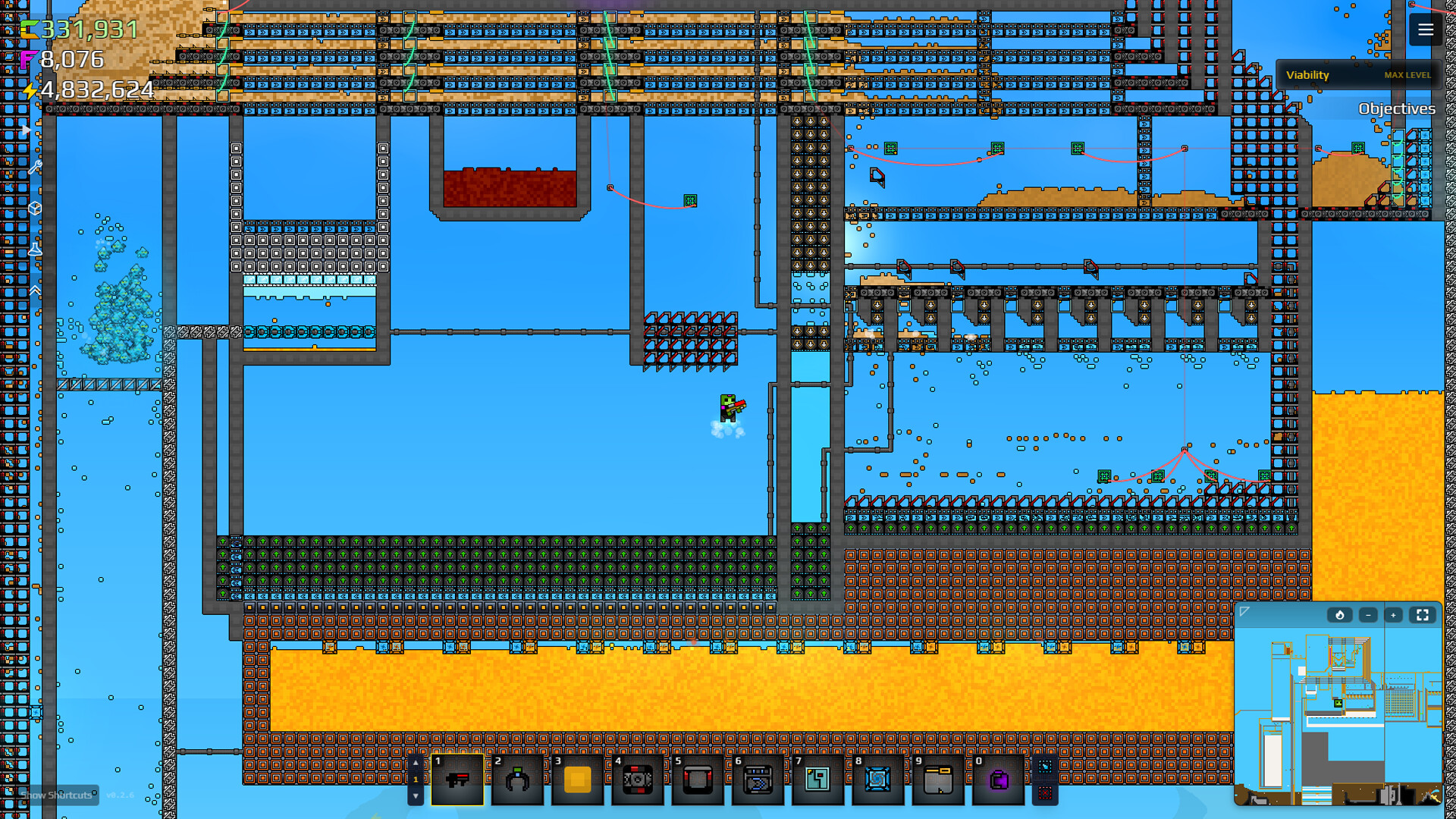
The official wiki splits the drone family in two: the Hauler carries items between marked points and is upgradeable; the Digger excavates until it meets a hard surface. Recorded play shows the hauler workflow precisely: click and hold to drag out two markers — the drone lifts loose material at the green square, flies to the red square, drops it, and repeats forever.
Expectations worth setting from video evidence rather than marketing:
- Per-drone throughput is modest. Creators describe them as workable but unspectacular, best at moving piles through cramped or vertical spaces where a belt would need three chained launchers.
- Drone upgrades exist and get expensive; budget fluxite accordingly.
- They only move what lies loose on their pickup tile — a route ending at a bare floor moves nothing.
- They do not route around hazards on their own. Community testing warns that drones show no heat avoidance, so a shortcut over lava stays a shortcut over lava until the drone is gone; unbridged water on a flight path eats loose loads on the way across.
- Lights matter more than they look: dark routes take longer detours, and pads marked a tile wider than the pile they serve keep drones from idling while material spills off the edges.
A community starting ratio pairs one slag hauler with every two shakers, raised when the burners sit far away — useful calibration before you decide a route needs a second drone rather than a wider pad.
Using haulers without regretting it
- Belts first, drones for the awkward legs. Community guidance is consistent: a couple of drones supplementing a real belt line beats a drone fleet with no line. Wet sand to shakers stays on belts; slag overflow and deep-mine retrievals are hauler work.
- Name your mental routes before placing. Since you cannot target a specific drone for replacement, place routes in the order you can afford to lose them — and write the order down if the fleet grows past four or five.
- Keep pickups stocked and drop-offs clear. A jammed destination quietly backs the route up; a starved source quietly idles it.
- Retire routes when belts reach the area. An idle hauler is pure maintenance — once conveyors cover the leg, remove haulers from it with the overflow method and pocket the capacity.
- Remove haulers the day a route becomes permanent. A leg you will never reconfigure deserves a belt; drones earn their capacity cost on jobs that move, climb, or expire.
For plant-level routing (when a belt spine should replace drone legs entirely), see the Processing Plant guide; the beginner roadmap places drones in the wider research order. Until the promised admin UI ships, the players who remove haulers cleanly are the ones who planned the removal when they placed the route.
Watch it in action
FAQ
How do I remove a hauler drone in Sandustry?
There is no direct delete button in documented builds. The community methods: placing a new drone while at maximum capacity replaces your oldest drone, and assigning a new route overwrites the oldest route. To neutralize a drone without either, park it on a route between two empty tiles with nothing to pick up.
Can I edit an existing drone's route?
Not directly — setting a route always creates or overwrites, and the oldest drone is the one that gets replaced. Players on Steam have criticized exactly this; a proper management interface is a confirmed developer plan (see below).
Is a drone management screen coming?
Yes — developer lantto confirmed on the Steam forums (February 17, 2025) that haulers would receive quality-of-life work including a drone admin for locking, changing, and deleting individual drones. As of August 15, 2026, treat in-game availability as unconfirmed and check the current build.
How do haulers actually work?
Click and hold to mark two points: the drone picks up loose material at the green marker and carries it to the red marker, flying the route continuously. The official wiki notes haulers deal no damage and can be upgraded.
Haulers or conveyor belts?
Belts win on short, steady routes; haulers win on vertical climbs, long distances, and temporary jobs. Recorded play is blunt about per-drone throughput — treat drones as a supplement, not a spine.
What happens to the material when I remove a hauler mid-route?
The route stops instantly; the drone does not finish its carry. Whatever the drone moved starts piling up at the old pickup tile and stops arriving at the destination, so have a replacement belt, launcher, or drone ready before you remove haulers from an active line.
Sources
- Official wiki: Haulerhttps://wiki.hoodedhorse.com/Sandustry/Hauler
- Official wiki: Toolshttps://wiki.hoodedhorse.com/Sandustry/Tools
- Official wiki: Diggerhttps://wiki.hoodedhorse.com/Sandustry/Digger
- sandustry.wiki: drones building pagehttps://sandustry.wiki/buildings/drones/
- Steam discussion: 'No way to remove them?'https://steamcommunity.com/app/2764460/discussions/0/715612249814809041/
- Steam discussion: developer confirms drone admin planshttps://steamcommunity.com/app/2764460/discussions/0/715612396503244836/
- Into Indie Games: early-game tipshttps://intoindiegames.com/walkthroughs/tips-tricks/sandustry-best-early-game-tips-and-tricks/
- Twisted (HoneyBunnyGames) drone automation (captions)https://www.youtube.com/watch?v=RlbpqqLPoS0
- Dak Dak drone let's play (captions)https://www.youtube.com/watch?v=rP4ksESPBv0
- Official Sandustry sitehttps://sandustry.com/
- Sandustry on Steam (app 2764460)https://store.steampowered.com/app/2764460/Sandustry/