sandustry · sandustry map
Sandustry Map: Custom Maps and Editing
Last verified: 2026-08-15
A custom Sandustry map reaches your game three ways, and as of August 15, 2026 all three coexist: subscribe on the official Steam Workshop, build your own in the game's built-in map editor (which saves .sandmap files), or load community-made files through the Custom Map Loader running on Fluxloader. This page keeps the three Sandustry map routes — and your saves — cleanly separated.
Find a map
- Steam Workshop (official, first stop) — the game's Workshop page carries the tagline "Mods and maps for Sandustry." Each item page can carry its own title, description, creator, screenshots, update history, and dependency list; those fields are item-level and change over time, so read them on the day you install rather than trusting a static list anywhere — including here.
- Official Discord (community route) — a Sandustry map usually surfaces there early: work-in-progress and released builds circulate in the server's map-sharing channels, so look through the pinned messages for a build marked compatible with your loader before downloading. Map jams and forum threads also produce experimental layouts. Skip unverified file hosts entirely, scan every archive you do pull down, and prefer moderator-linked sources.
- Custom Map Loader wiki (technical reference) — the loader's GitHub wiki is versioned (v4.1.3 at our check) and splits into three sections: FAQ (Installing Maps) for players, Making a Map for creators, and a Mod API for developers.
Install a map from Steam Workshop
Subscribing through the Workshop is the lowest-risk install route, because Steam handles the download and any later update:
- Open the Sandustry Workshop page — it is linked from the game's Steam store page and community hub.
- Pick a map and read its item page: creator, screenshots, update history, and any stated dependencies or game-version notes.
- Click Subscribe and let Steam download the item.
- Launch the game and follow the item description for where the map appears.
- Start it from a new save — do not assume vanilla research or progress transfers unless the author states otherwise.
Install a map with the Custom Map Loader
Prerequisites: a working Fluxloader installation, a Custom Map Loader package that matches your game version, and a backed-up save folder — keep every experiment on a throwaway world so your main vanilla base stays untouched. The flow below follows the loader's bundled instructions and the community video walkthrough recorded against the demo build:
- Place the Custom Map Loader mod into your Fluxloader mods folder (loader setup itself is covered on the mods page).
- Launch Sandustry through Fluxloader and open the loader's menu as its readme indicates.
- Check that the loader release lines up with your current demo or Early Access build — the loader documentation warns that a version gap makes maps fail to load without any error message.
- Download a map from a trusted source and extract the archive outside the game directory first.
- Move the extracted map folder into the loader's Maps folder inside the mods folder.
- Relaunch the loader, select your map from its dropdown, and start a new game on it.
- If anything fails, work through the loader wiki's FAQ (Installing Maps) page before assuming the map file is broken.
Update the loader after each game patch, and retest the maps you care about before settling into a long run on one.
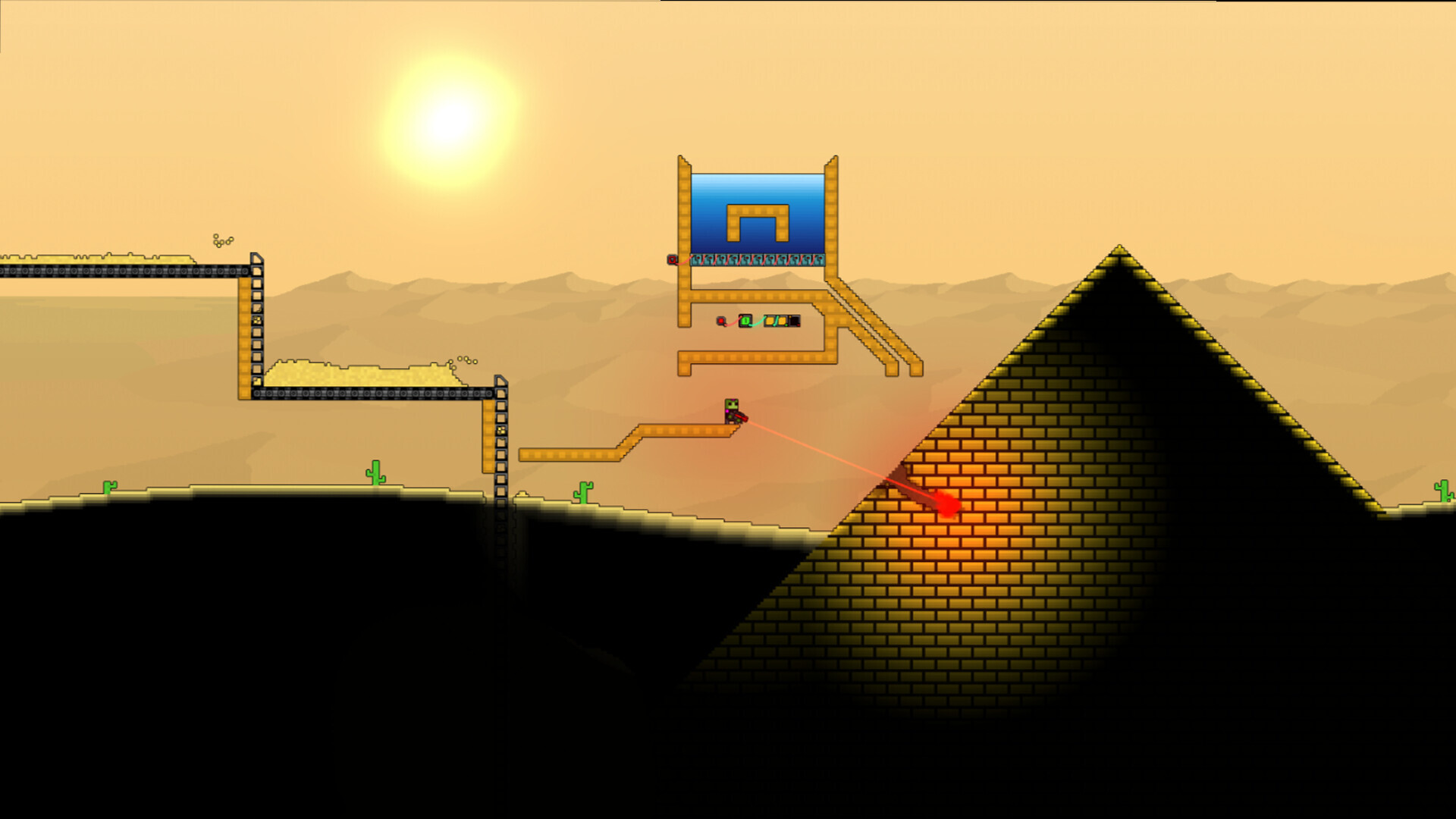
Make your own Sandustry map in the built-in editor
Sandustry includes a complete map editor of its own, launched from the main menu, so creating custom worlds is an intended feature rather than a hack. You shape a Sandustry map by deciding where resources sit, how the ground is formed, and what the starting conditions are — veins of ore, water sources, and ruins can each be placed by hand:
- Terrain brush — sculpts height and swaps surface materials; the go-to tool for cliffs and walls that channel the player.
- Resource painter — drops ore veins and other material deposits by hand; use it to keep early-game resource access fair.
- Ruin placer — scatters ancient structures across the map to build out areas worth exploring.
- Spawn marker — chooses where the player starts, which shapes how the first minutes of a run play out.
Finished maps are written as .sandmap files into the Maps folder the game creates next to its Mods folder, and anything you build shows up in the new-game world picker. Two practical consequences: you share a Sandustry map by copying a single file, and you prune old experiments by deleting files from that same folder. Because a custom Sandustry map is first-class content, it is the most version-stable kind of community creation — but physics changes between patches can still age one out.
If you are building a Sandustry map for the community loader instead, read its Making a Map documentation, which explains the role of every file, then test the map without optional mods first and with its documented dependency set second. Publish with a description, a version, the required loader and mods, and a known-good game build. One boundary the loader wiki states in bold: its Mod API is not map scripting — scripts belong to the map side, while the API exists for other mod developers.
Pick a Sandustry map that teaches you something
Community creators tend to build a Sandustry map around a specific lesson, so choose the category that trains the skill you actually want:
- Compact puzzle layouts — tight footprints that stress launcher angles and shaker placement; strong building-mode practice.
- Vertical gauntlets — tall shafts that force grappling and pipe planning long before a vanilla world would.
- Resource-scarce deserts — dry starts that punish sloppy water routing and make every reservoir decision matter.
- Hazard tours — lava, ice, and worse, placed to push your tool priorities out of their usual order.
Match the Sandustry map to your current level: a punishing endgame layout teaches very little while you are still learning the basic wet-sand loop, and a gentle Sandustry map you finish beats a famous one you abandon.
Sandustry map compatibility and version drift
A Sandustry map is terrain data, and terrain data ages quietly. When a patch changes pixel behavior — how sand flows, how steam condenses, how fire spreads — a world built around the old behavior can break without changing a byte: channels flood, puzzle gates open themselves, hazard rooms drain away. Early Access patches are landing frequently — the game released on August 13, 2026 and received its first hotfix (v0.5.3, logging and memory work) on August 14, 2026 — so treat every patch note as a reason to retest. Authors sometimes retire files that a physics update breaks, which is exactly why this page links living catalogs instead of a static top-ten list.
Before importing anything, compare three versions: the game build the author names, your loader's release version, and your own install. If an author lists no build at all, assume the Sandustry map targets the demo era and try it on a disposable save first.
Troubleshooting
When a Sandustry map misbehaves, match the symptom to the fix:
- Map does not appear — check file location, loader state, dependencies, and game version, in that order. Wrong folder, wrong extension, and outdated loader are the usual causes.
- Map loads with missing content — compare the map's dependency list against your enabled mods; a missing dependency breaks content without breaking the load.
- Instant crash on load — the map may have been built for an older physics build; check the author's comments for the patch version it targets.
- Save becomes unstable — disable the newest map or mod and restore the backup you made before installing.
- Map works on one build only — check the author's compatibility note and the Workshop item's update history.
- Missing research tree — some maps gate technology on purpose as a design constraint; consult the map's readme before calling it a bug.
- Performance collapse — huge sand simulations can push past the game's 4 GB minimum memory spec; close background applications or slim down your contraptions.
Keep the vocabulary straight when asking for help: a Sandustry map is terrain data, a mod is gameplay code, and the loader's Mod API is not map scripting. Mod-side installation and the Fluxloader setup live on the mods page.
Watch it in action
FAQ
Where do I get Sandustry custom maps?
Start with the Sandustry Steam Workshop, whose tagline is Mods and maps for Sandustry. Community-made maps also circulate on the official Discord, and the Custom Map Loader project documents the community loading route. Avoid unverified file hosts.
What is the Custom Map Loader?
A community mod by Electric131 that loads player-made maps when used alongside Fluxloader. Its GitHub wiki — versioned at v4.1.3 when last checked — splits into FAQ (Installing Maps), Making a Map, and Mod API sections.
What is a .sandmap file?
The output of Sandustry's built-in map editor. Finished editor worlds are stored as .sandmap files inside the Maps folder the game creates alongside its Mods folder, and they show up in the world picker when you start a new game.
Can I play custom maps in the free demo?
Usually, provided the loader and game versions line up — the community map scene began on the demo — but the demo's feature set is narrower and patches can break loaders. Retest after each patch and keep backups.
Will a custom map break my main save?
It can if you mix them carelessly. Start every map on a new, separate save, back up your save folder before importing files, and never assume vanilla progress transfers unless the map author says so.
Why did a Sandustry map stop working after a patch?
Most likely a physics or behavior change aged the map out — terrain data built around old pixel behavior can flood, drain, or self-unlock after an update. Check the author's page for an updated file or a stated game build, and test the map on a disposable save.
Sources
- Custom Map Loader wiki (GitHub)https://github.com/Electric131/Sandustry-CustomMapLoader/wiki
- Sandustry Steam Workshophttps://steamcommunity.com/app/2764460/workshop/
- Sandustry on Steam (app 2764460)https://store.steampowered.com/app/2764460/Sandustry/
- Steam Community Hubhttps://steamcommunity.com/app/2764460
- How to Play MODS AND CUSTOM MAPS in the Sandustry Demo (video)https://www.youtube.com/watch?v=Q9gLaBG-nhk